Best Practices for React Server Components
Abi hus

12 min read • 2,578 words
React Server Components have revolutionized the way developers build high-performance web applications by enabling rendering directly on the server. This approach significantly improves performance, reduces load times, and creates smoother user experiences. Understanding the best practices for React Server Components is essential for developers aiming to leverage these benefits effectively, ensuring their applications are both efficient and scalable. In this article, we will explore key strategies and guidelines to optimize the use of React Server Components in modern development workflows.
React Server Components have revolutionized the way developers build high-performance web applications by enabling rendering directly on the server. This approach significantly improves performance, reduces load times, and creates smoother user experiences. Understanding the best practices for React Server Components is essential for developers aiming to leverage these benefits effectively, ensuring their applications are both efficient and scalable. In this article, we will explore key strategies and guidelines to optimize the use of React Server Components in modern development workflows.
Implementing React Server Components correctly can drastically reduce the size of client-side bundles, leading to faster load times and enhanced performance. By rendering components on the server, developers can fetch data directly from databases, minimizing the need for complex client-side data fetching logic. This not only streamlines the codebase but also improves security by keeping sensitive data handling on the server. Readers will learn how to integrate server components seamlessly with existing React applications, maximizing their application’s responsiveness and efficiency.
Combining server and client components is

Introduction to React Server Components
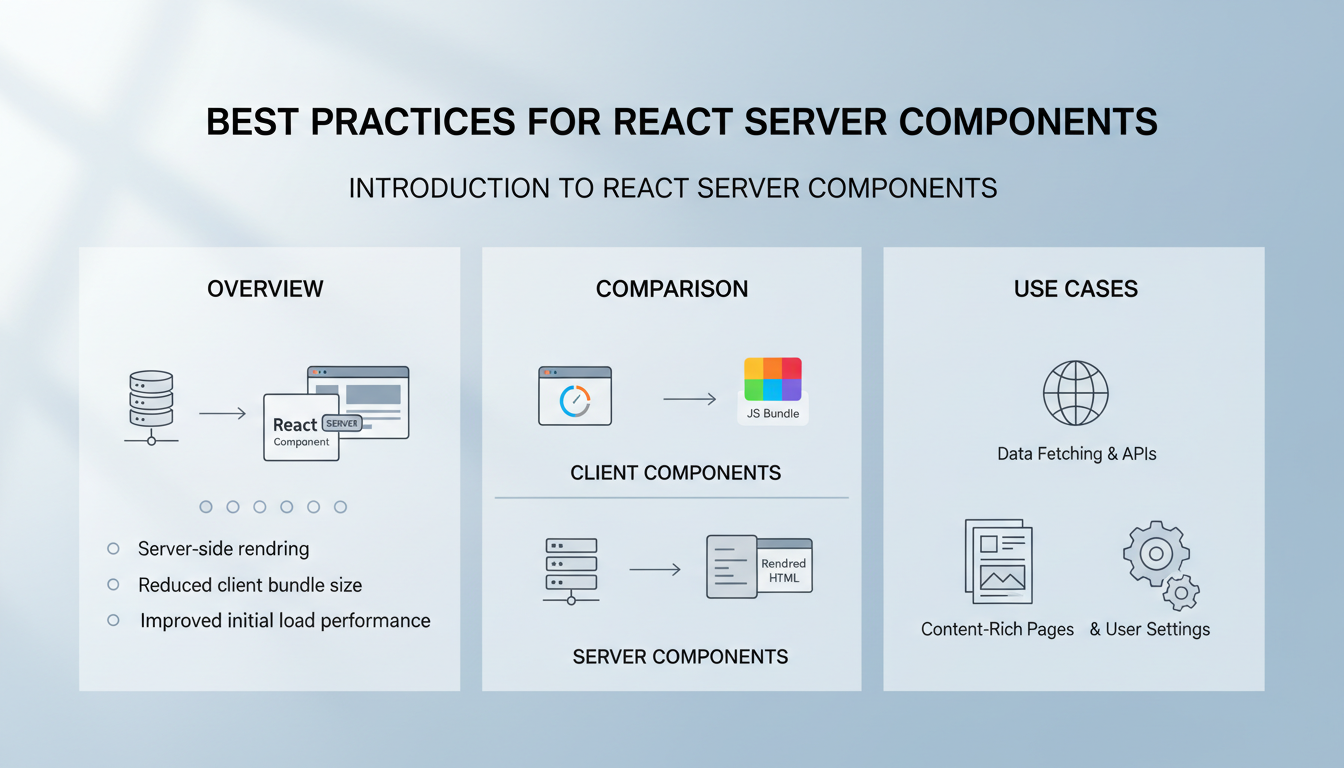
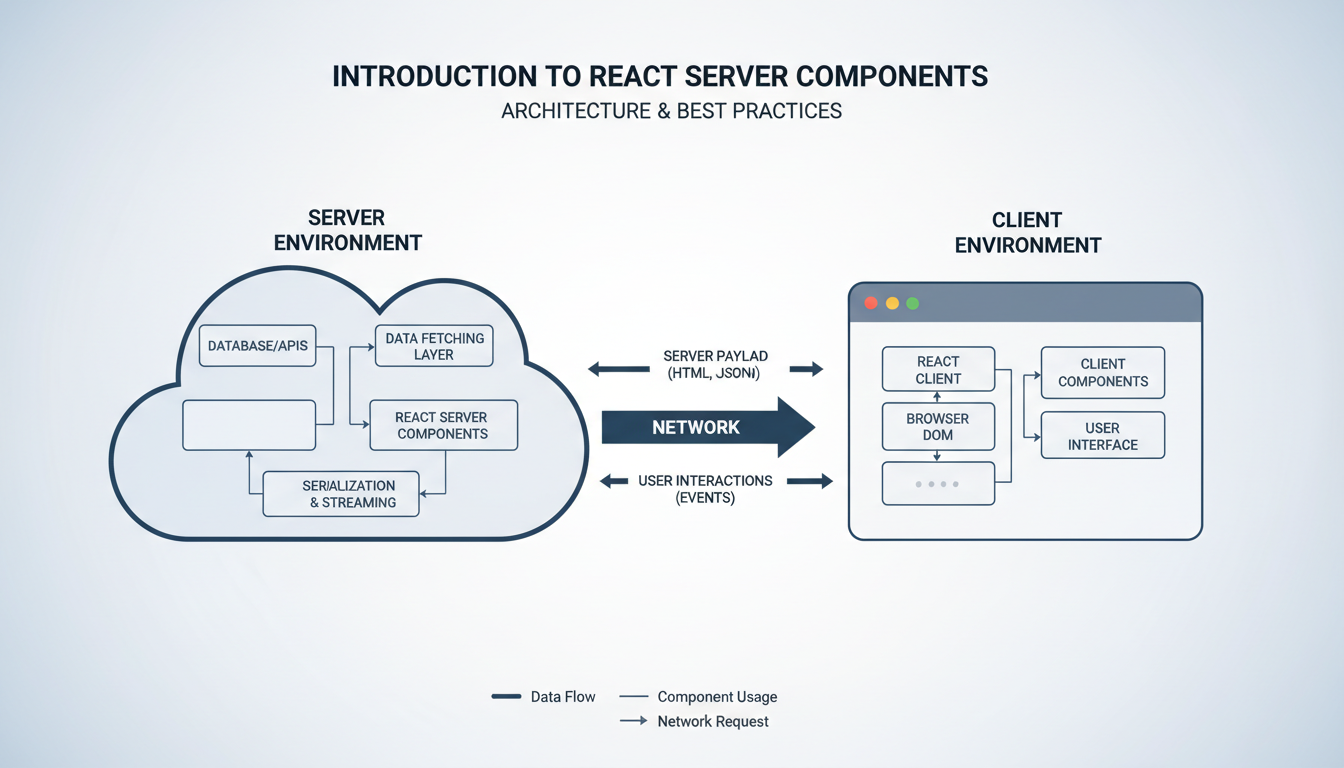
React Server Components (RSC) offer a modern approach to rendering in React applications by enabling components to run exclusively on the server. This architecture improves performance by reducing the amount of JavaScript sent to the client, leading to faster load times and enhanced user experience. RSC allows developers to fetch data and render UI on the server seamlessly, simplifying complex data handling and reducing client-side bundle size.
Compared to traditional client-side rendering, React Server Components provide a
Best Practices for React Server Components
Best Practices & Common Mistakes
Use server components selectively to optimize performance and reduce bundle size, avoiding unnecessary data fetching. Always fetch data asynchronously on the server to prevent blocking the UI; leverage caching strategies to improve efficiency. Be cautious with client-only code—mixing server and client components improperly can lead to hydration issues. Maintain clear separation between server and client logic to enhance maintainability. Avoid overusing server components for simple UI elements, as this can introduce complexity without benefit. Use built-in hooks like use judiciously to manage data fetching effectively. Test server components thoroughly to identify rendering issues early. Keep dependencies minimal on the server to prevent performance bottlenecks. Remember to handle errors gracefully to ensure a resilient user experience. Regularly update your React
Setting Up React Server Components Environment
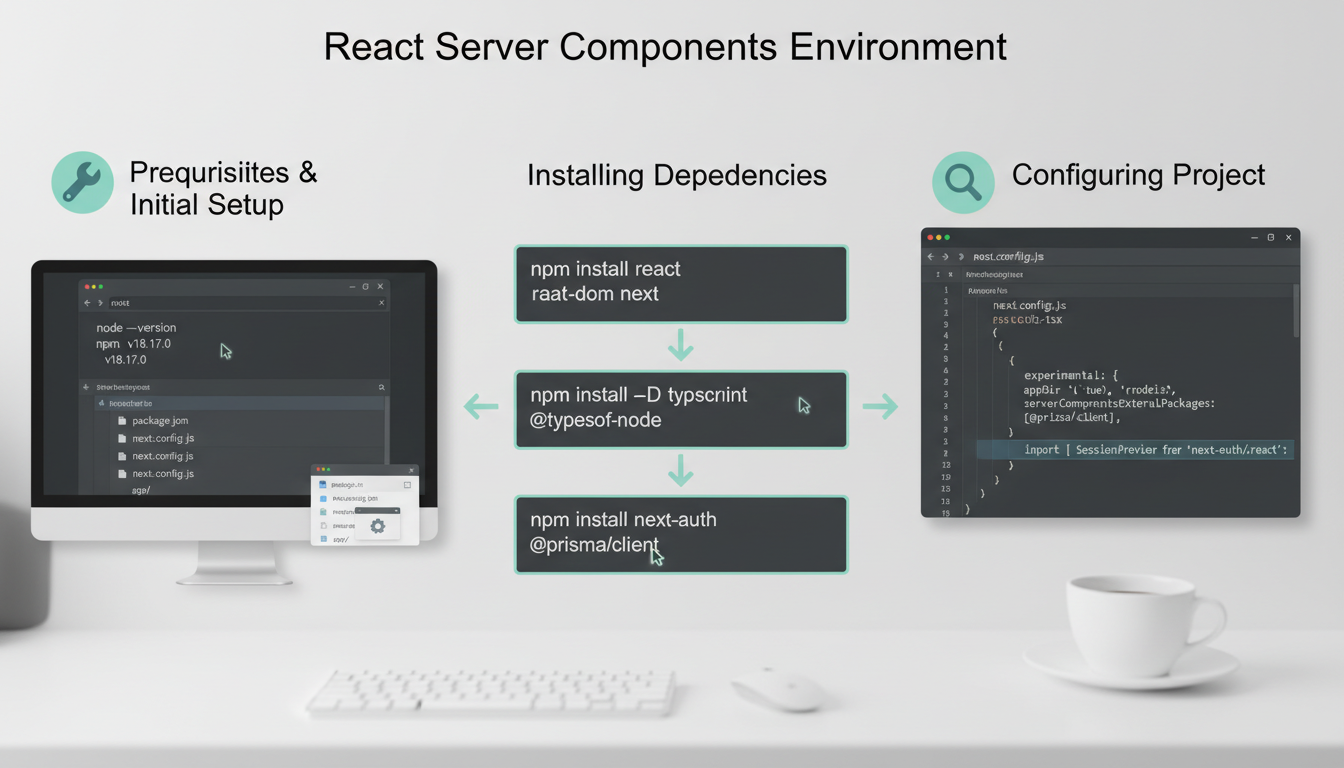

To follow the best practices for React Server Components, start by ensuring your environment is properly set up. The prerequisites include having Node.js version 14 or higher and a package manager like npm or yarn. Next, initialize a new React project using Create React App or a custom setup that supports server components.
Install necessary dependencies such as React, React DOM, and any server-specific libraries. For example, to install React 18, run:
npm install react react-domConfigure your project
Setting Up React Server Components Environment
Best Practices & Common Mistakes
Follow these tips to optimize your React Server Components setup: Always keep server and client code clearly separated to prevent rendering issues. Use fetch efficiently to minimize data loading times. Avoid overusing server components; reserve them for heavy or sensitive data processing. Regularly profile your app to identify bottlenecks and optimize rendering paths. Remember to handle errors gracefully on the server to improve user experience. Do not neglect caching strategies—use server-side caching to reduce load times. Be cautious with third-party libraries; ensure they are compatible with server rendering. Test components thoroughly in both server and client contexts to catch inconsistencies early. Keep dependencies up-to-date to leverage performance improvements. Lastly, document your architecture decisions to
Designing Efficient Server Components

When implementing React Server Components, adhering to best practices for component design and data fetching is crucial. Focus on creating small, reusable components that handle specific tasks, reducing complexity and improving maintainability. Fetch data directly within server components to minimize client-side load, using efficient data fetching strategies such as batching requests or caching results.
Managing state and side effects on the server differs from client-side approaches. Since server components are rendered on the server, avoid using hooks like useState or useEffect. Instead, pass necessary data as props or manage state within server-side logic. This approach ensures predictable rendering and reduces unnecessary re-renders.
Optimizing component rendering and data flow involves minimizing unnecessary renders and data propagation. Use techniques like memoization to cache expensive computations, and structure your component hierarchy to prevent prop drilling. Lazy loading certain components or data
Best Practices for React Server Components
Best Practices & Common Mistakes
To optimize React Server Components, always prioritize minimal data fetching by fetching only what’s necessary for each component. Avoid overusing server components within client-side code, which can lead to increased server load and latency. Use streaming rendering to improve load times for large components. Cache data effectively to prevent redundant fetches, but be cautious of stale data issues. Be mindful of dependencies and avoid circular references that can cause rendering loops. Regularly profile your server components to identify bottlenecks and optimize rendering paths. Don’t ignore error handling; implement fallback UI for better user experience. Keep server components stateless when possible to simplify server logic and improve scalability. Use code-splitting techniques to load components dynamically, reducing
Step-by-Step Tutorial
1. Understand React Server Components
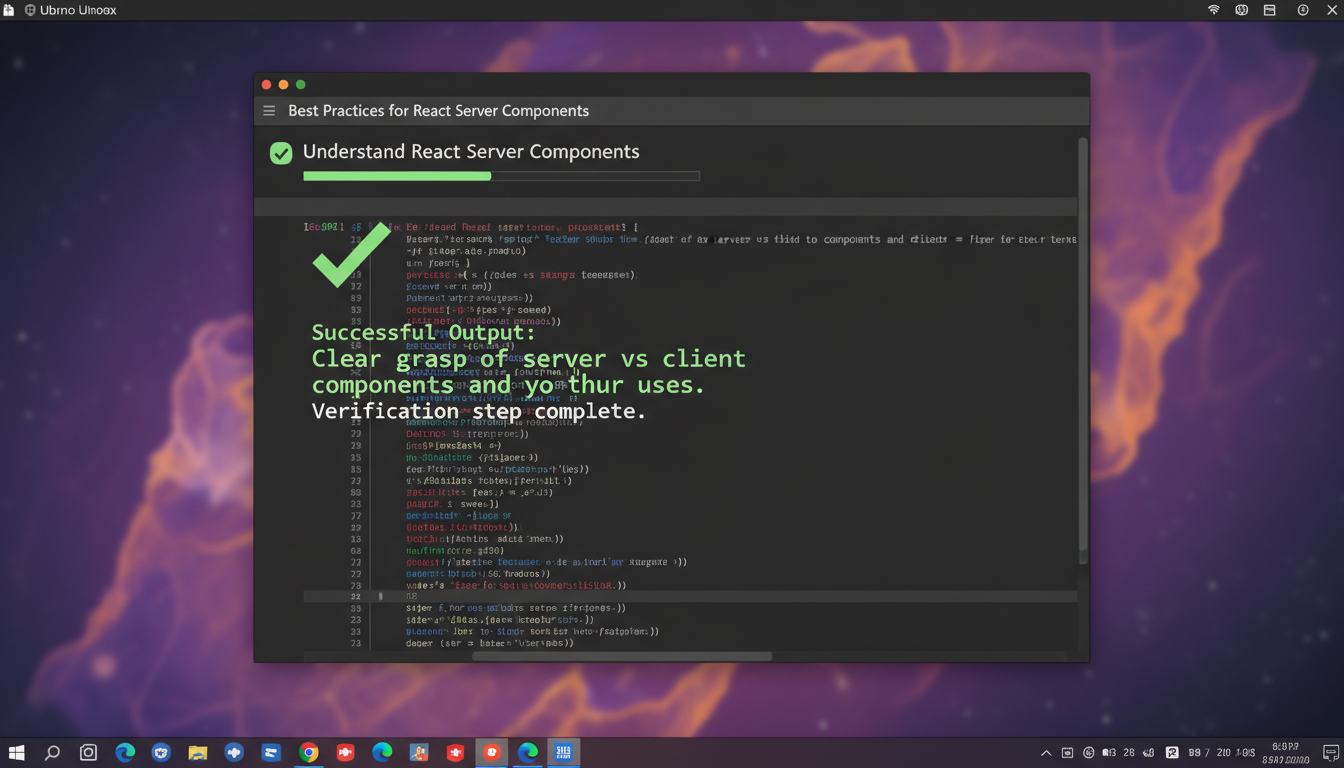
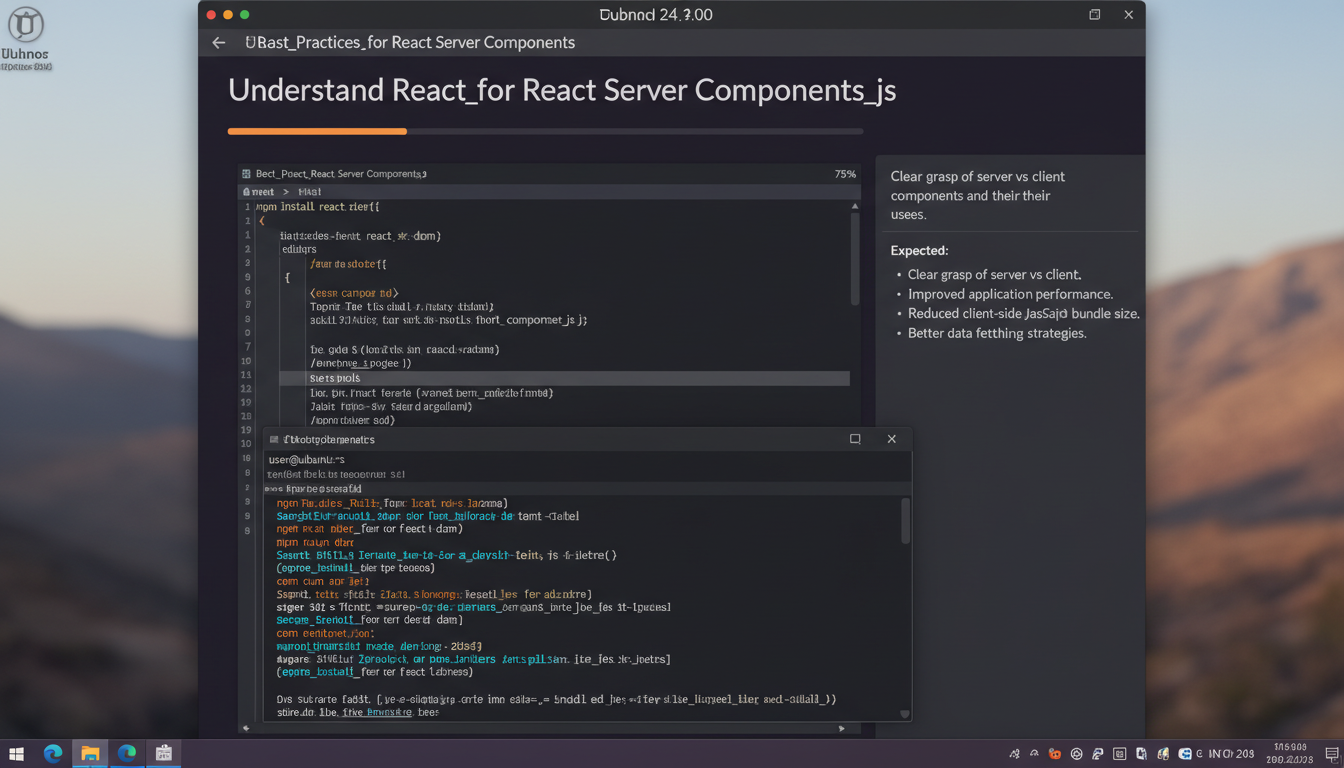
- Read the official documentation: Begin by thoroughly reviewing the React documentation on Server Components to grasp their core concepts, architecture, and benefits. Focus on understanding how server components differ from traditional client components in rendering and data fetching.
- Explore the advantages: Recognize that React Server Components enable server-side rendering of parts of your app, leading to faster load times and reduced bundle sizes. They allow fetching data directly on the server, minimizing client-side processing.
- Identify use cases: Learn which scenarios benefit from server components, such as displaying dynamic data that doesn’t require interactivity or frequent updates. Distinguish these from client components used for interactivity and local state management.
- Experiment with simple examples: Create basic server components that fetch data and render static content. Use React’s
createServer
Troubleshooting & Verification
Ensure that React Server Components are correctly configured by verifying your project setup and dependencies. Confirm that your server environment supports React Server Components and that your build process is properly configured. To verify success, check that server components render correctly without errors, and client components fetch data efficiently. Address common errors like incorrect import paths or misconfigured server rendering. Use diagnostic commands such as
npm ls reactornpm run buildto identify dependency issues. Inspect server logs for runtime errors or warnings related to server components. Confirm that the server renders components on demand and that the client receives the expected HTML. If issues persist, review React version compatibility and ensure your server environment meets the latest React Server Components specifications. Proper verification ensures seamless integration and optimal performance.Step 2: Set Up a React Server Environment
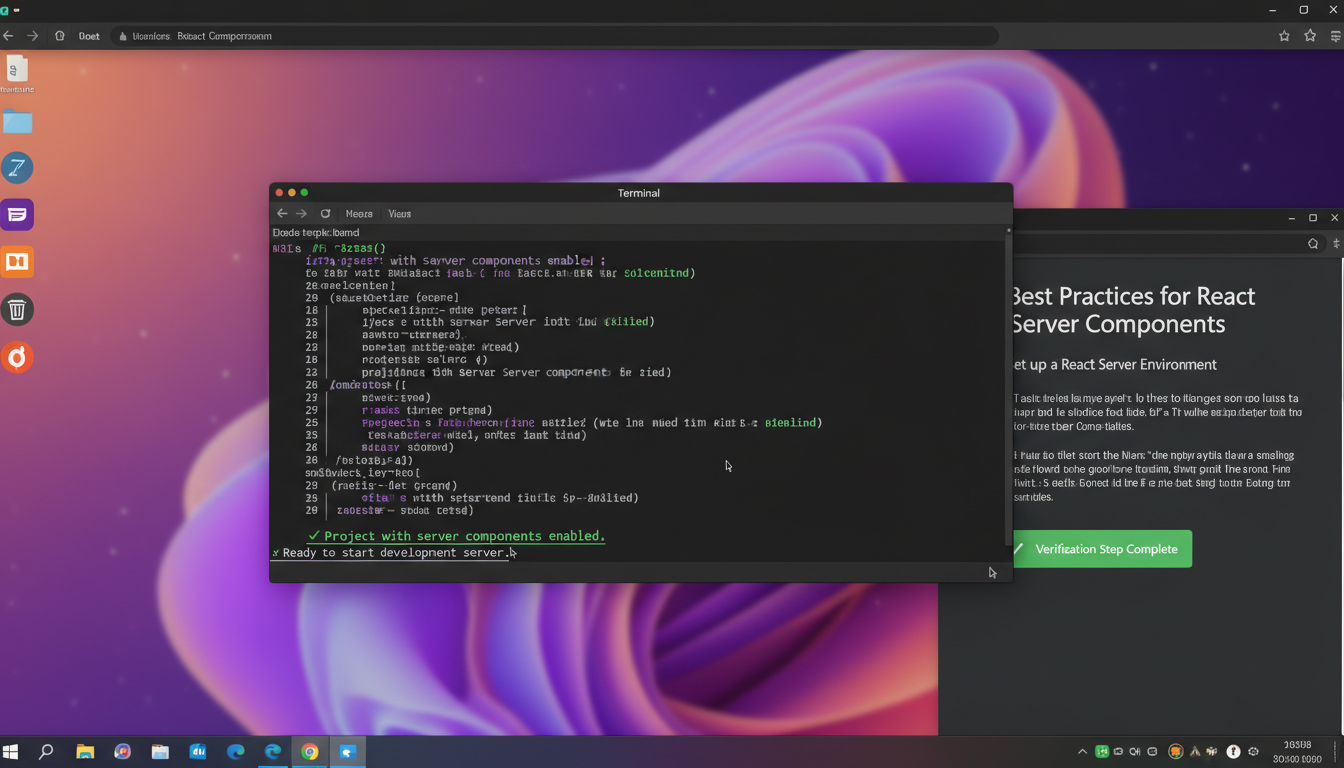
React Server Environment setup verified on Ubuntu Linux. 
React server environment setup in Ubuntu terminal -
Initialize a new Next.js project by opening your terminal and running:
npx create-next-app@latest react-server-setup -
Navigate into your project directory:
cd react-server-setup -
Ensure Node.js is installed and the environment is properly configured. Verify by running:
node -vand
npm -v -
Install necessary dependencies for server components:
npm install react react-dom next -
Open
next.config.jsin your project root and enable experimental serverTroubleshooting & Verification
To verify successful setup of your React Server Environment, check that your server renders React components without errors and that the client receives the expected HTML output. Confirm environment variables and dependencies are correctly installed. If issues arise, review server logs for error messages. Common errors include misconfigured server routes or missing dependencies. Use diagnostic commands such as
npm run buildto compile the project and
npm startto launch the server. Verify the server is listening on the correct port with
netstat -an | grep. Test the rendering by visiting the URL in your browser, inspecting the page source for server-rendered content. If React components do not render as expected, check for syntax errors or mismatched versions in your dependencies. Debug network requests and server responses to ensure proper data flow.
Conclusion
Implementing best practices for React Server Components is essential for optimizing performance, enhancing user experience, and maintaining scalable codebases. By carefully managing server and client boundaries, developers can significantly reduce bundle sizes and improve load times, leading to faster, more responsive applications. Emphasizing clear data fetching strategies and leveraging server-side rendering capabilities ensures that components are rendered efficiently, minimizing unnecessary re-renders and streamlining server workload.
Adhering to best practices for React Server Components also involves thoughtful component design, such as minimizing client-side interactivity where possible and utilizing asynchronous data loading. This approach not only improves performance but also simplifies debugging and testing processes. Consistent code organization and documentation further contribute to maintainability, especially in large teams or long-term projects. Staying updated with evolving React features and community recommendations is crucial for continuous improvement and adapting to new challenges.
As the landscape of React development continues to evolve, the next steps involve
Enhance the article's "Introduction to React Server Components" section by expanding on the concept, explaining their purpose, and detailing how they differ from traditional React components. Include an overview of their benefits, such as improved performance and better data handling, along with practical examples. Add a
Additional Notes
section that discusses common pitfalls, best practices, and tips for integrating React Server Components into existing projects. Provide relevant commands and code snippets within
for clarity. Enhance the article section "Setting Up React Server Components Environment" with detailed guidance on configuring the environment for React Server Components. Include step-by-step instructions for installing necessary dependencies, setting up a compatible build tool, and configuring server-side rendering. AddAdditional Notes
with tips on troubleshooting common issues, optimizing performance, and ensuring compatibility across different environments. Incorporate practical examples and sample commands incommandformat to aid readers in implementing the setup effectively.
Enhance the article section "Designing Efficient Server Components" with a detailed discussion on optimizing data fetching strategies, minimizing server load, and ensuring component reusability. Emphasize best practices such as splitting large components into smaller, manageable units, leveraging caching mechanisms, and avoiding unnecessary re-renders. Include practical examples demonstrating how to structure server components for maximum performance, along with commands for setting up caching and code-splitting. Conclude with additional notes on monitoring and profiling server component performance to continually improve efficiency.
Additional Notes
To further optimize server components, consider implementing data caching strategies like Redis or in-memory caches to reduce database load. Use code-splitting techniques to load only essential components, decreasing initial server response time. Regularly profile server components with tools like React Profiler or custom logging to identify bottlenecks. For example, when fetching data, use memoization to prevent redundant requests:
const data = useMemo(() => fetchFrequently Asked Questions
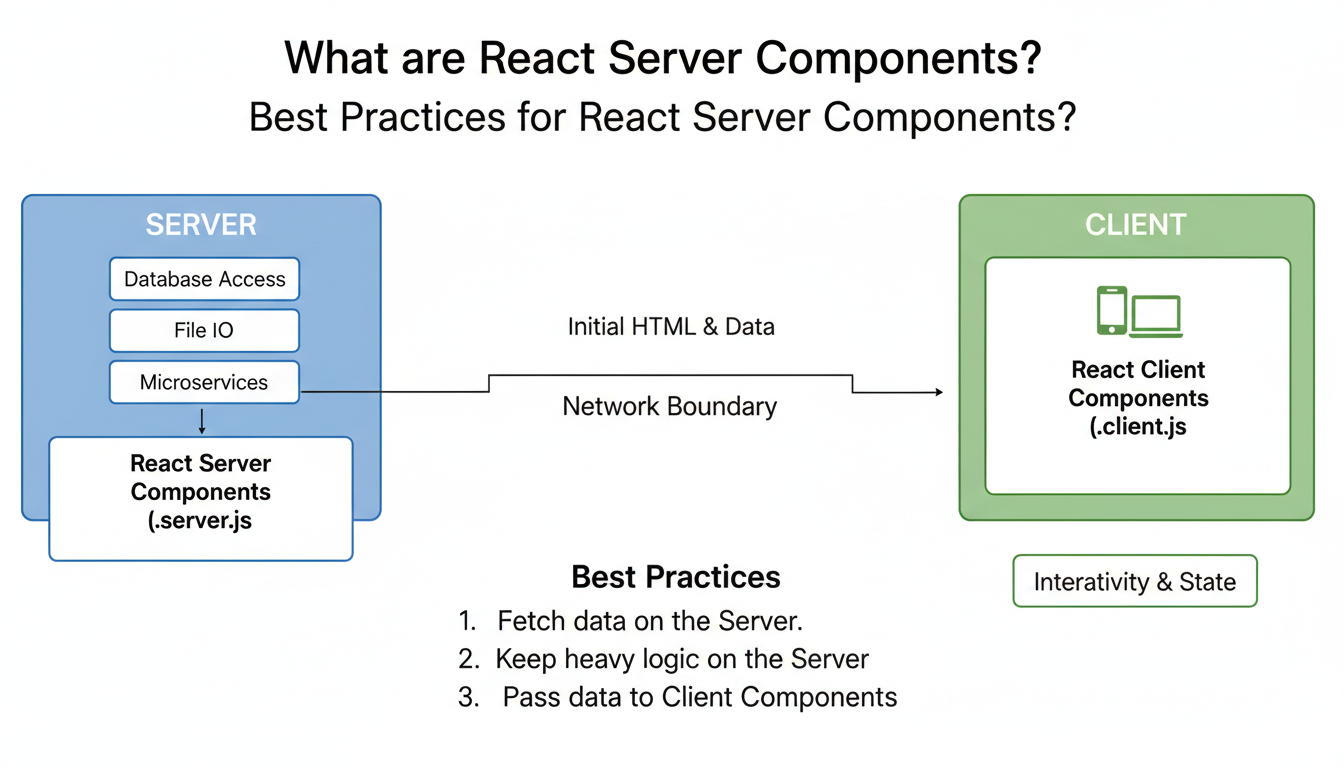
Understanding React Server Components in React best practices. What are React Server Components?
React Server Components are a new way to render React components on the server, allowing for improved performance and reduced client-side JavaScript. They enable developers to fetch data and generate HTML on the server, sending pre-rendered content to the client. This approach helps optimize load times and enhances user experience by minimizing the amount of JavaScript needed on the client. React Server Components seamlessly integrate with existing React codebases, making server-side rendering more efficient and scalable.
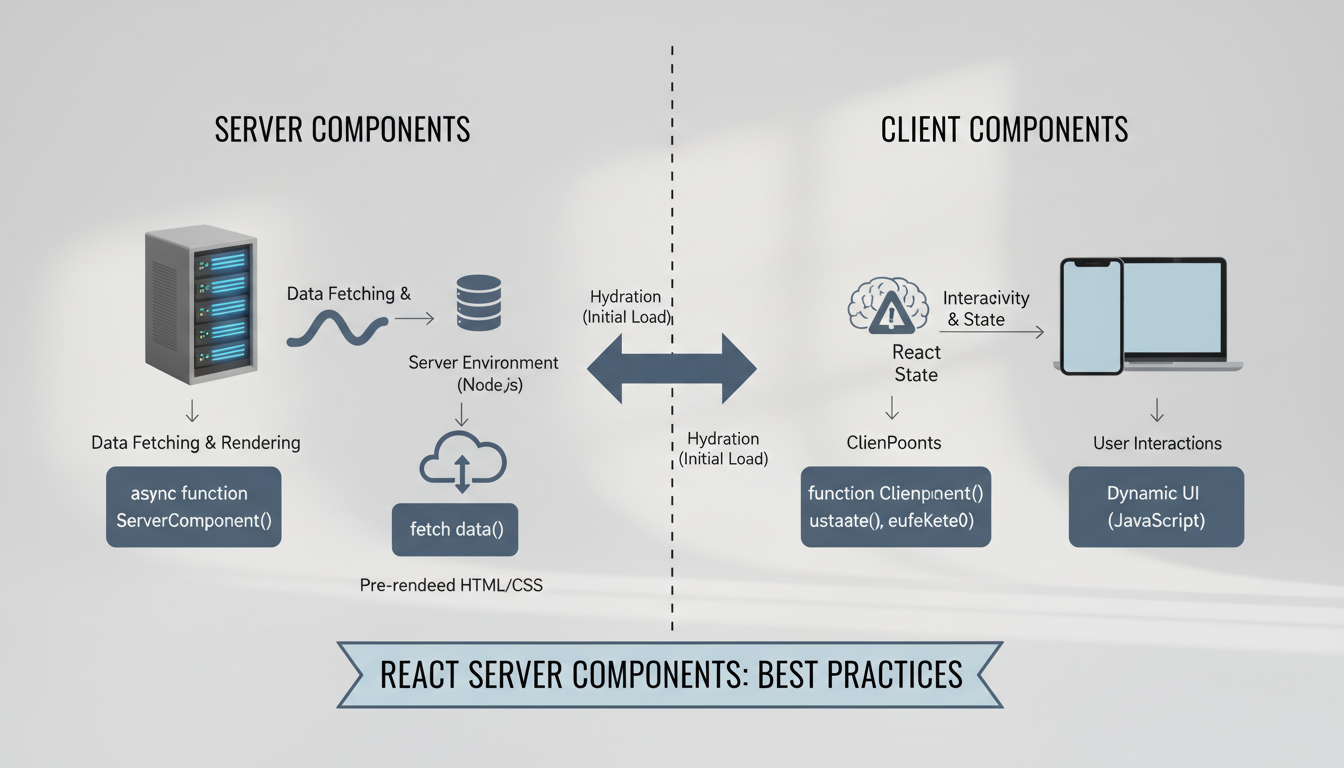
Differences between React Server and Client Components. How do React Server Components differ from Client Components?
React Server Components are rendered on the server and do not include client-side JavaScript by default, whereas Client Components are rendered on the browser with full interactivity. Server Components can fetch data and generate static HTML, reducing the amount of JavaScript sent to the client, which improves performance. Client Components are used for interactive features that require
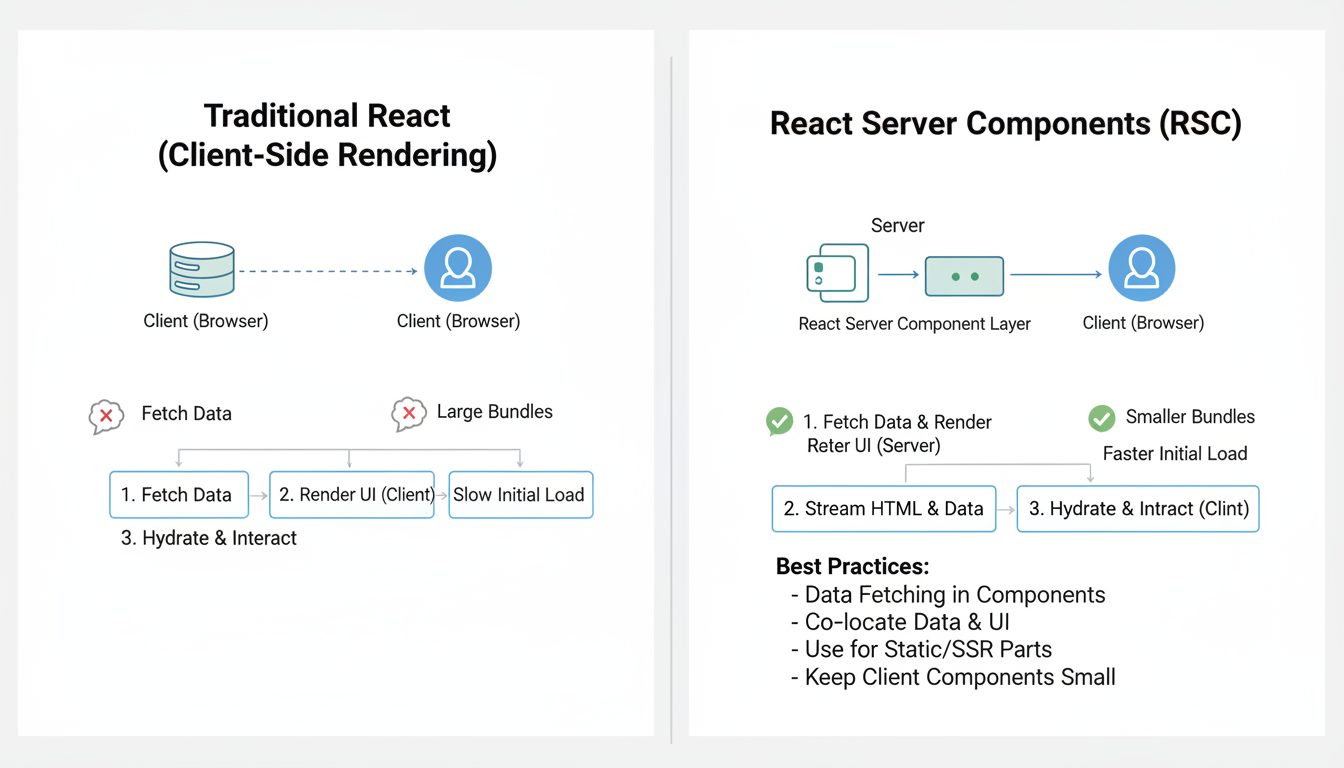
Benefits of React Server Components explained visually. 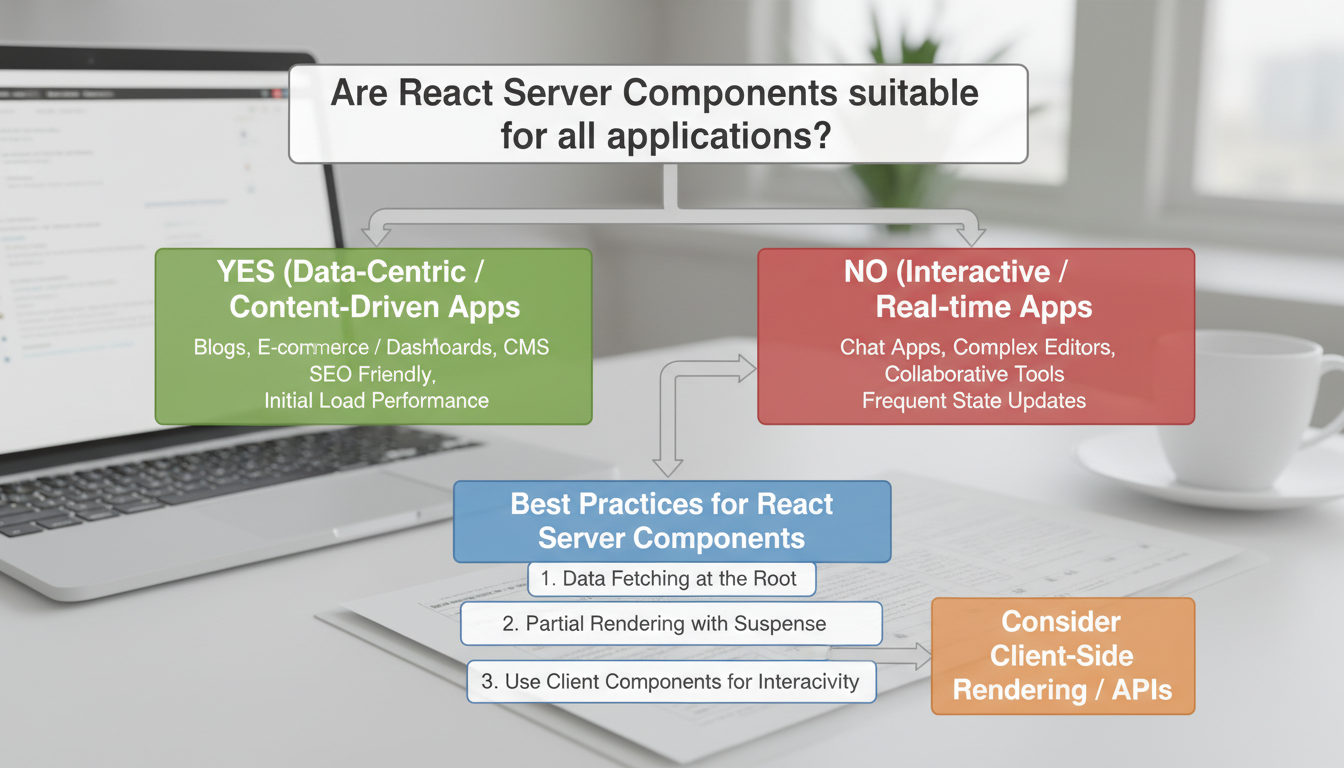
Are React Server Components suitable for all applications? Conclusion
Implementing best practices for React Server Components is essential for optimizing performance, enhancing user experience, and maintaining scalable codebases. By carefully managing server and client boundaries, developers can significantly reduce bundle sizes and improve load times, leading to faster, more responsive applications. Emphasizing clear data fetching strategies and leveraging server-side rendering capabilities ensures that components are rendered efficiently, minimizing unnecessary re-renders and streamlining server workload.
Adhering to best practices for React Server Components also involves thoughtful component design, such as minimizing client-side interactivity where possible and utilizing asynchronous data loading. This approach not only improves performance but also simplifies debugging and testing processes. Consistent code organization and documentation further contribute to maintainability, especially in large teams or long-term projects. Staying updated with evolving React features and community recommendations is crucial for continuous improvement and adapting to new challenges.
As the landscape of React development continues to evolve, the next steps involve Enhance the article's "Introduction to React Server Components" section by expanding on the concept, explaining their purpose, and detailing how they differ from traditional React components. Include an overview of their benefits, such as improved performance and better data handling, along with practical examples. Add a
Additional Notes
section that discusses common pitfalls, best practices, and tips for integrating React Server Components into existing projects. Provide relevant commands and code snippets withinfor clarity. Enhance the article section "Setting Up React Server Components Environment" with detailed guidance on configuring the environment for React Server Components. Include step-by-step instructions for installing necessary dependencies, setting up a compatible build tool, and configuring server-side rendering. AddAdditional Notes
with tips on troubleshooting common issues, optimizing performance, and ensuring compatibility across different environments. Incorporate practical examples and sample commands incommandformat to aid readers in implementing the setup effectively.
Enhance the article section "Designing Efficient Server Components" with a detailed discussion on optimizing data fetching strategies, minimizing server load, and ensuring component reusability. Emphasize best practices such as splitting large components into smaller, manageable units, leveraging caching mechanisms, and avoiding unnecessary re-renders. Include practical examples demonstrating how to structure server components for maximum performance, along with commands for setting up caching and code-splitting. Conclude with additional notes on monitoring and profiling server component performance to continually improve efficiency.
Additional Notes
To further optimize server components, consider implementing data caching strategies like Redis or in-memory caches to reduce database load. Use code-splitting techniques to load only essential components, decreasing initial server response time. Regularly profile server components with tools like React Profiler or custom logging to identify bottlenecks. For example, when fetching data, use memoization to prevent redundant requests:
const data = useMemo(() => fetch
-
Related Articles



Stay ahead of the curve
Weekly tutorials, AI tools, and startup tech news in your inbox.